



Choose a moment when the list is helpful
The most natural moment is when a loved one asks what you would like.
Answer their question with a few words and your list's link. Before a birthday or family celebration, you can also share the link in the conversation about organising it. Avoid repeatedly resending it as a reminder to buy something.
If you are gathering the wishes of several family members, explain to whom each list belongs. Your loved ones will be able to consult each other's ideas in the same place, without having to search for several messages.

Let people choose, including the option to buy nothing
A list suggests wishes; it does not set an amount to be spent or a gift obligation.
You can add a wish without a shop link. For ideas from a shop, paste the product link: Listopia fills in the title, image and price when the website allows it. You can complete or correct the details yourself.
-
Include small treats and bigger wishes so everyone can choose within their budget.
-
Add a short explanation when the size, colour or exact model really matters.
-
Keep room for a personal idea, activity together or a surprise chosen by your loved ones.
-
Present a more expensive gift as something people could give together, without asking everyone for the same contribution.
Three examples of messages to adapt
A short message is enough: explain what the link is for and make clear that the ideas are only suggestions.
Replace the text in square brackets with your link and adjust the tone to your loved ones before sending the message.
In response to “What would you like?”
Thanks for asking! I have put a few wishes here: [link to my list]. There are ideas at different prices, but they are just suggestions: a surprise or some time together would make me very happy too.
In a family conversation
For anyone looking for gift ideas, here are our lists: [links to the lists]. Everyone can choose a wish and reserve it to avoid duplicate gifts. There is no obligation; it is mainly to make the search easier!
Before a birthday
You asked me for some birthday ideas, so I have put them here: [link to my list]. They are suggestions; choose what you like and what works for you. What matters most to me is seeing you all again.

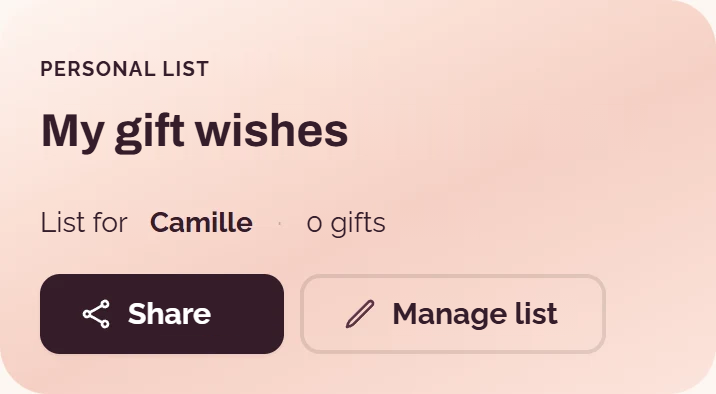
Share the link to your Listopia list
Open your list and press "Share" to send your link to your loved ones.
Your loved ones can open this link on a computer or mobile device, view the ideas and reserve a gift without creating an account. A reservation tells other guests that a gift is already taken, so they can choose something else.
The link gives access to the list: share it with the people concerned. A member's secret code helps prevent accidental changes; it does not turn the link into a private space protected from viewing.
Does someone prefer a phone call? Give them a few ideas verbally. With their permission, another person can record the reservation in their name to prevent duplicate gifts.
1. Open the list to share
Check its name and ideas, and then locate the "Share" button at the top of the list.
2. Press "Share"
On a compatible phone, the phone's sharing menu opens: choose WhatsApp, SMS or email. On a computer, or if that menu is unavailable, the link is copied and the button shows ‘Copied!’.
3. Add a personal message
Paste the link in your conversation and accompany it with one of the above messages. Your loved ones can open the list, even without a Listopia account.
Preserving surprise after sharing
By default, the recipient sees neither the gifts reserved on their list nor the people who reserved them.
Let loved ones organise things among themselves once you have sent the link. Other guests can see that a gift is taken; you do not need to ask who chose what.
If several people want to contribute to a gift, Listopia's gift pot records their pledges. No payments go through Listopia: participants settle the money directly among themselves. A gift uses either an individual reservation or a gift pot.
Keep a list easy to use
Before sharing, check the links, useful details and which wishes are still current.
Remove ideas you have already bought for yourself and update any details that have changed. If a product is no longer available, suggest an alternative and explain what you like: the size, purpose or type of gift, rather than just one specific product.
For another occasion, review your list before sharing it again. A short, current list can be more helpful than a long collection of old links.