
Your free online wishlist, ready to share
An online wishlist is a list of gifts you would like to receive: write down what would make you happy, then share a link so loved ones know what to give you. With Listopia, the free gift list with no registration, wishes can come from any website and loved ones reserve without an account; you do not see who is giving what by default.



What's a wishlist?
A wishlist (from wish and list) is a list of gifts you would like to receive. The French terms are “liste d’envies” and “liste de souhaits”.
Online, every wish keeps its link, image and price, and you share the list with one link. Unlike a baby registry prepared for a particular date, you can keep it throughout the year as you find things you love.
How to make an online wishlist in 3 steps
Give a name to your list, paste the link of each wish, and then send the link of the list to your loved ones. Neither you nor they have an account to create.
1. Create your list, without account
Choose a name ("My wishes") and the "Personal List" format: the list is available immediately. The account is optional; it is only used to find your lists on all your devices.
2. Add your wishes
Paste the link of a product: the title, price and image are recovered when the site allows. In the note, specify the size, colour or edition you want.
3. Share the link
On the phone, the sharing button opens the usual menu (WhatsApp, SMS, e-mail...); on computer, it copies the link. Your loved ones click on "View reservations", then on "I offer it! ", and indicate their first name.
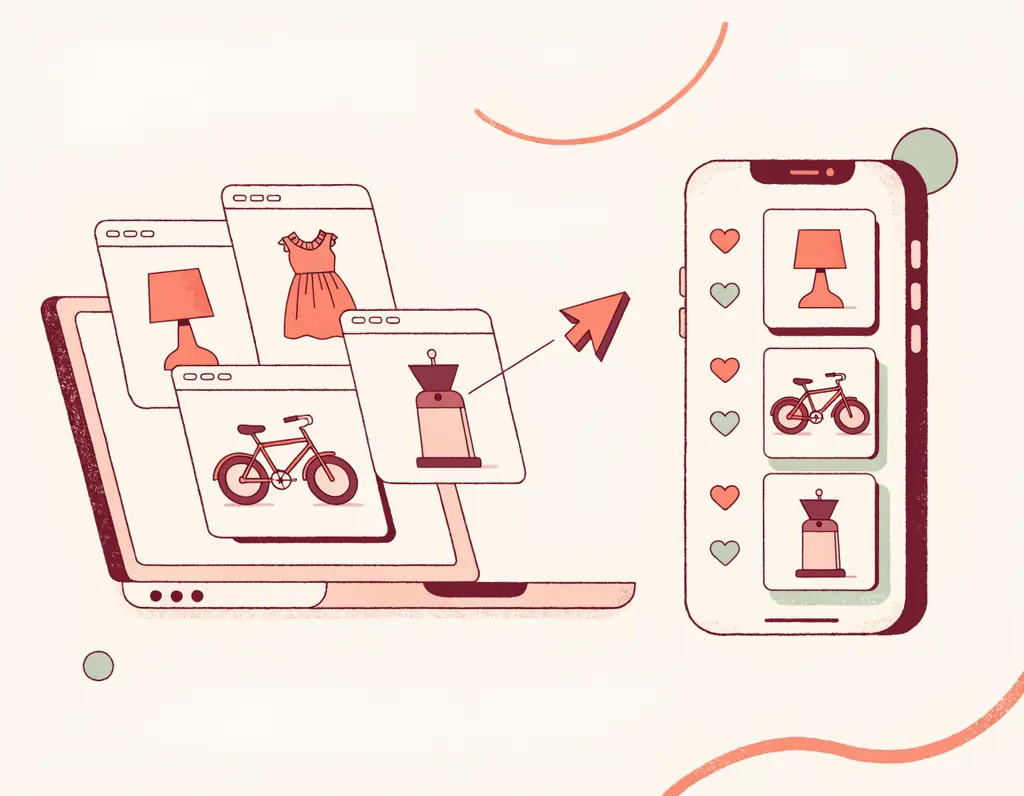
Add wishes from any website
Listopia is not attached to any store: a wish may come from Amazon, Fnac, Etsy, an independent shop or a second-hand site, and even have no link.
If a website blocks automatic product extraction, Listopia tells you: copy the title and price, add the image and keep the link for reference. Only the title is required, leaving room for wishes you cannot buy in one click: a ceramics class, concert ticket or out-of-print book.
Keep several lists? In management mode, choose ‘Copy’ on a wish, then ‘Paste copied gift’ in the other list to avoid entering everything again.
Keep your list up to date all year
Keep updating the list: add a wish whenever it comes to mind, remove those that no longer appeal to you and include a range of prices so everyone can find something within their budget.
The same link works from one occasion to the next: loved ones always see the current version, without you sending a new list for every birthday. Include mostly affordable wishes (according to Listopia's Christmas lists for 2025, the median requested gift cost 25,99 €) and one or two more expensive ideas for occasions when several loved ones give together.

Share your wishlist without spoiling the surprise
When a close relative reserves a wish, it appears as reserved for other relatives: no one reserves it in duplicate. You, on the other hand, do not see what has been reserved, unless you decide to display it.
A loved one who changes their mind clicks ‘Cancel my reservation’, making the wish available again. In the settings, ‘Hide the names of people who reserve’ also hides the giver's name from other visitors.
Is a wish too expensive for one person? A loved one starts a gift pot for it: everyone records a pledged amount, and they settle the money among themselves outside Listopia.
Amazon wishlist or a wishlist for multiple shops?
Amazon's wishlist works well if everything you want is sold on Amazon. A multi-shop list such as Listopia becomes more practical when your wishes come from different shops or loved ones prefer to buy elsewhere.
Amazon has real strengths: buying directly from the list, delivery to the list owner's address and the ‘Don't spoil my surprises’ option. A drawback reported by Generation-NT: since 25 March 2026, the owner's address is shared with third-party sellers shipping a gift. Your Amazon links are still welcome on Listopia. Comparison prepared on 26/09/2026: Amazon's terms may change, so check its help pages.
| Criterion | Wish list Amazon | Listopia wishlist |
|---|---|---|
| Where wishes come from | Products sold on Amazon | Any website, or a wish with no link |
| Account to create the list | Yes, an Amazon account | No, optional account |
| To offer | Purchase on Amazon, with Amazon account | Reservation with a first name, purchase where you want |
| Keep the surprise | ‘Don't spoil my surprises’ option | Reservations hidden from the list owner by default |
| Delivery | Available to the list owner's address | No address requested: each one gives his gift |
A list for each occasion
The same list works for Christmas, a birthday, a new baby, a wedding, a civil partnership or a housewarming: only the way you present it changes.

Christmas
A "Collaborative List" brings together the wishes of the whole family, including children, under one link.

Birthday
The link is slipped into the invitation or in the group of guests, who reserve without account.

New baby
Baby's wishes from any shop, including second-hand items, with a possible gift pot for the pushchair.

Wedding
Objects, experiences and parts of the honeymoon can share one list; guests can give the more expensive ones together.
Who sees your wishlist?
Anyone with the link can open it, and even switch to management mode if no secret code is set: send it to your loved ones only. The list is not available to search engines.
The settings below help prevent spoiled surprises and accidental changes. They hide information in the app; they do not hide the list from anyone with the link.
- A hard-to-guess link: its address contains 10 or 20 randomly chosen characters.
- ‘Gift under consideration’: the app hides the wish from loved ones while you are deciding, so they do not discover it accidentally; the rest of the list stays visible.
- Secret code The application asks for it before switching to management mode, so that a relative does not modify the list by mistake; your relatives consult and reserve without this code.
- "Limit visibility to certain members" : in a collaborative list, the app shows a gift only to the members checked.
Frequently asked questions

Your wish list, in seconds
Free, with no registration: write down your wishes, share the link and let loved ones reserve.
